Mark sheets read from paper
Print a mark sheet with every learner already listed. The teacher fills it in with a pen, photographs or scans it, and the marks come back ready to check and save. Anything hard to read is marked for a second look.
School management software for Ugandan schools, with AI built in. Fees, marks, attendance and report cards in one place, and AI that reads handwritten mark sheets, drafts report comments and answers your questions about the school.
Your school gets its own address and keeps its own data. No other school can see it.
The slow parts of the term, done in minutes. Your teachers still decide every mark and every word.
Print a mark sheet with every learner already listed. The teacher fills it in with a pen, photographs or scans it, and the marks come back ready to check and save. Anything hard to read is marked for a second look.
A short comment for every learner, drafted from their results, for the class teacher to read, change and save.
Fees, payments, attendance, enrolment and more, answered from your own records. It looks things up and never changes anything.
Try it free. Every new school gets UGX 10,000 of AI to start, and 5 free questions every day. After that you pay only for what you use, topped up by mobile money.
How the AI worksOne system in place of a drawer of books and a folder of spreadsheets.
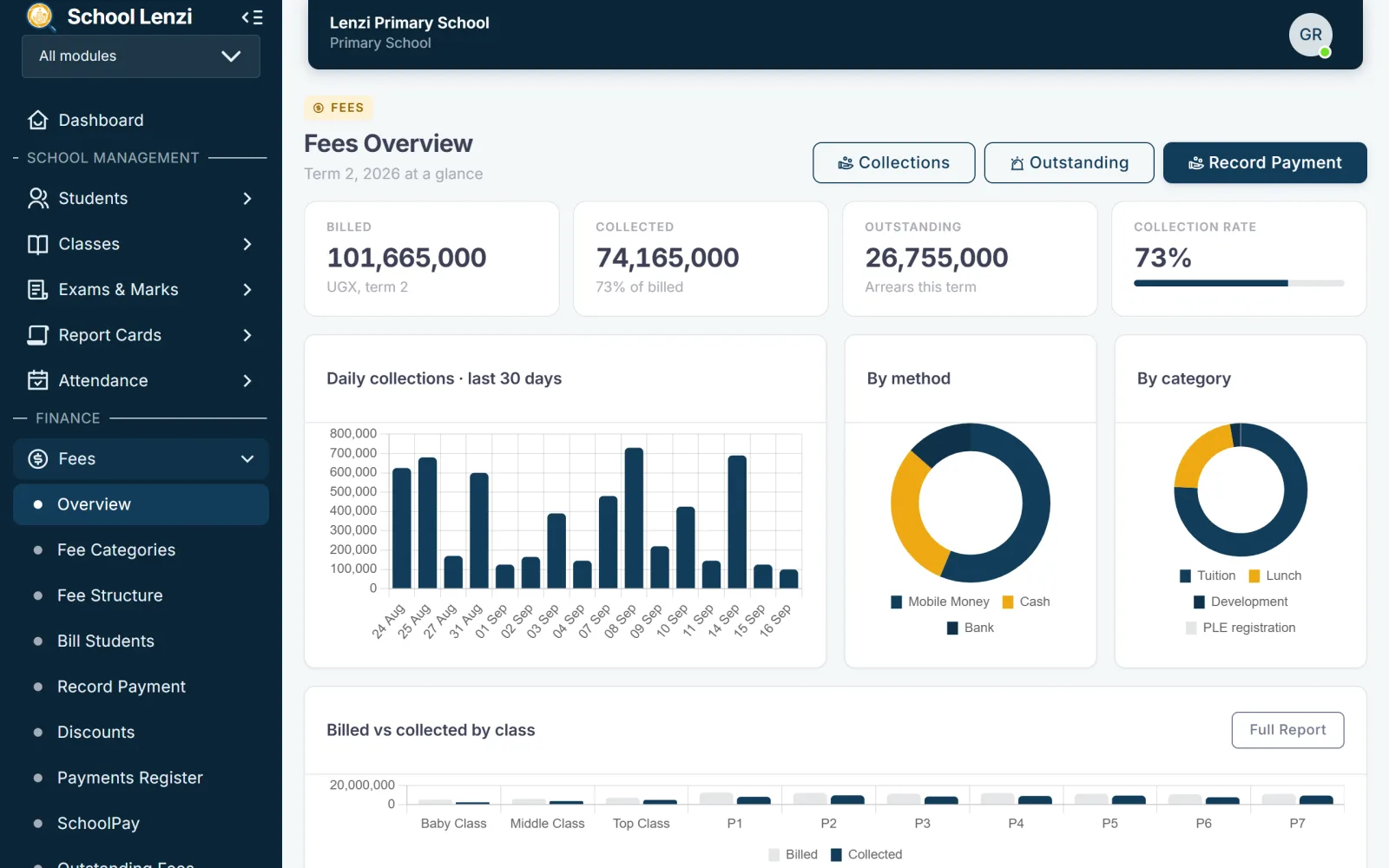
Bill a whole class at once. Receive cash or mobile money. See who has paid and who still owes, on any day of the term.
Report cards for primary, for lower secondary CBC and for A Level. PLE aggregates and divisions are worked out for you.
Mark the register in seconds. Parents of the learners who are absent get an SMS the same morning.
Schemes of work and lesson plans for the subjects each teacher actually handles, ready for the head teacher to check.
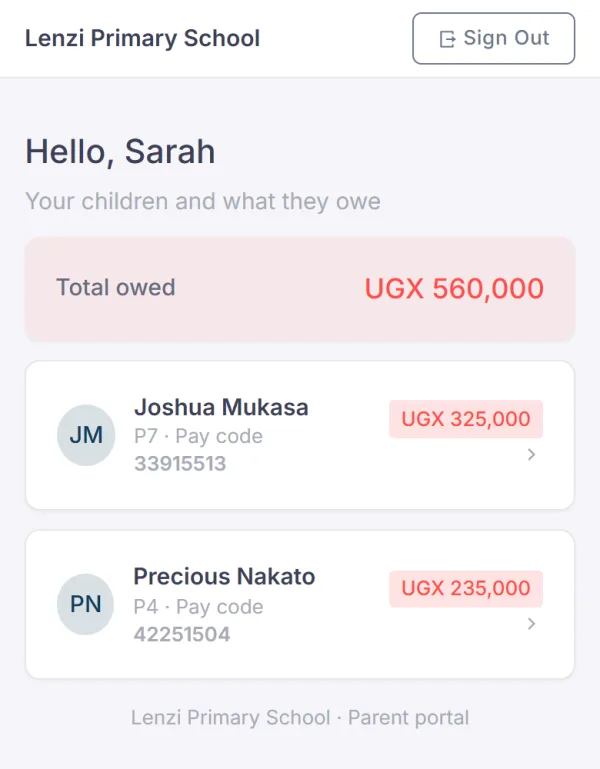
A parent signs in with their phone number, sees their child’s balance and statement, and pays from there.
Every title and every copy on your shelves. Know who has borrowed what, and which books are overdue.
Routes, vehicles and the learners who ride them. Print a card for every child who uses the school bus.
What is in the store, what came in, and every requisition from the day it is raised to the day it is issued.
Double entry behind every transaction, with income and expenditure, a trial balance and a balance sheet.
Taken from the demo school we show you: a term and a half of invented learners, fees and marks, in a working copy of School Lenzi.
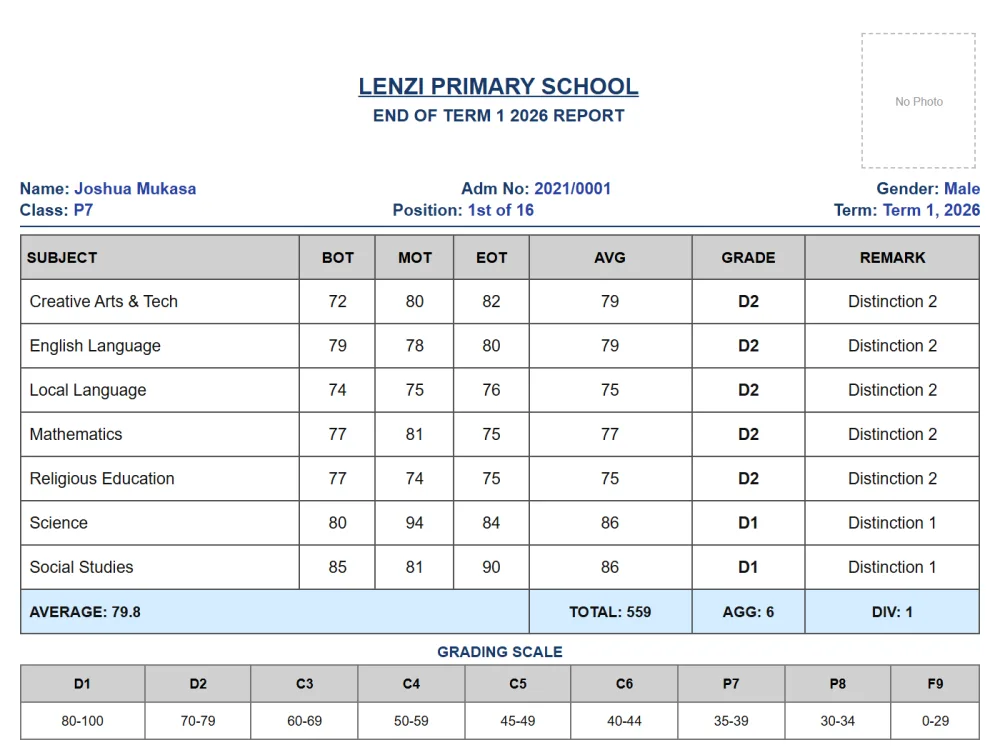
Averages, grades, the PLE aggregate and the division, for the whole class at once and ready to print.
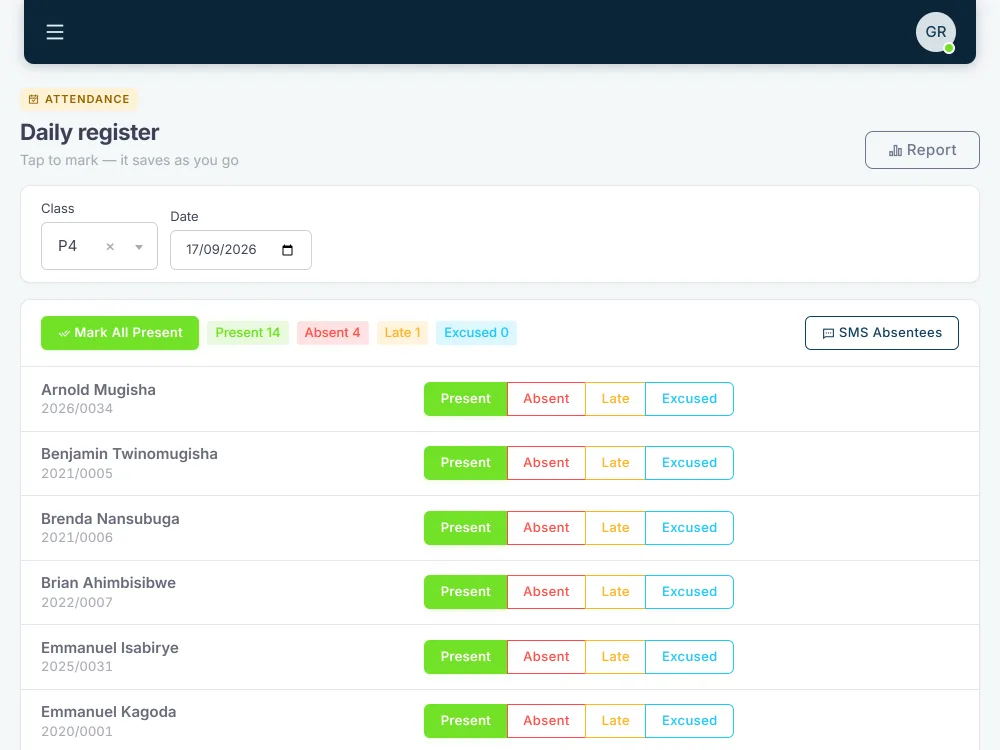
One tap for each learner and the count is done. Parents of the learners who are absent can be sent an SMS the same morning.
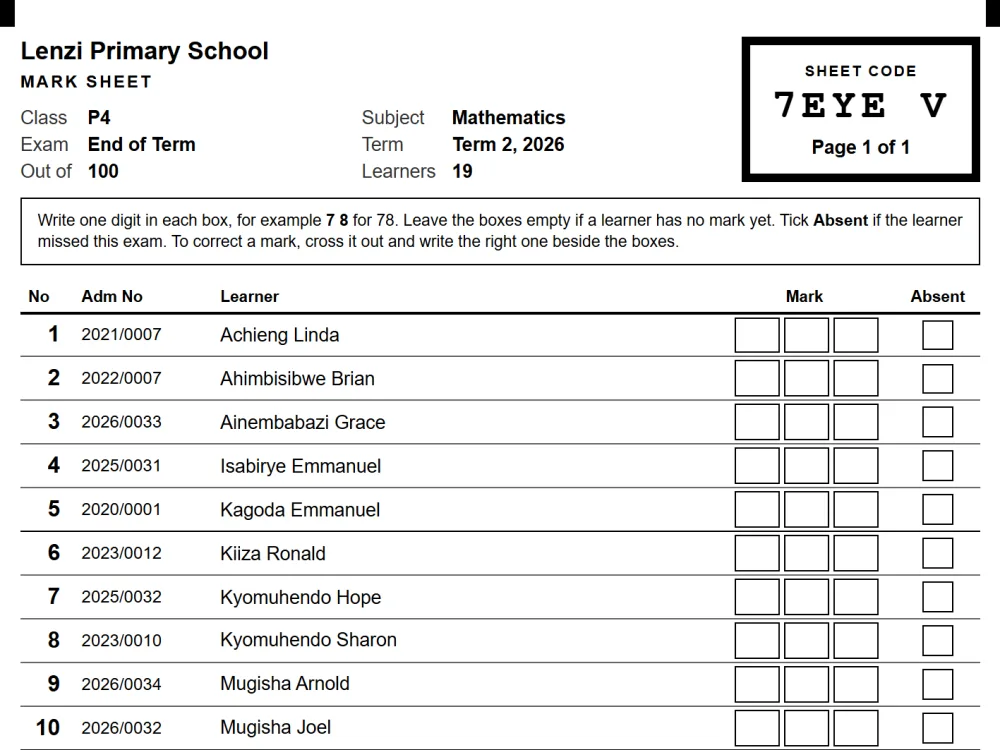
Printed with every learner already listed. The teacher fills it in with a pen, and a photo or scan of it brings the marks back.
The same school and the same people, with far less of the week spent adding up.
On paper: Payments written in an exercise book, and added up by hand at the end of the month.
With School Lenzi: Each payment recorded once, and every balance correct the same minute.
On paper: Evenings spent copying marks onto cards and working out aggregates on a calculator.
With School Lenzi: The whole class printed at once, with averages, aggregates and divisions worked out.
On paper: Parents calling the office to ask what they owe, and waiting while somebody looks.
With School Lenzi: Parents see the balance on their own phone, and can pay it there by mobile money.
On paper: A register book marked every morning and added up by nobody.
With School Lenzi: A register marked in a minute, absences counted, and parents told by SMS.
On paper: Teachers copying marks from paper into a spreadsheet, one learner at a time.
With School Lenzi: A photo or scan of the filled-in mark sheet, and the marks come back ready to check.
The terms, the classes, the streams, the fee structures and the report cards are the ones you already use. Your teachers will know where they are on the first day, because nothing here asks them to work in a new way.
A lens is for seeing clearly. That is the whole idea.
Each part of the school has its own overview. You can look at fees alone, or at the library alone, without going through everything else first.
Fees are not kept in a spreadsheet here. Every bill, payment and bursary goes into the ledger, so your books agree at the end of the term.
The balance, the statement and a way to pay, all in the parent’s pocket. SMS goes out for absentees and for fees reminders.
PLE aggregates and divisions, the CBC curriculum, UACE points and mobile money, with your terms, your grading scale and your fee structure as you already run them.
Three things, and you can begin billing the same week.
Give us your school name and choose your address. We look at every registration ourselves before we open it.
Add your classes and streams, your terms, and the fee structure you already use.
Enter them one by one, or bring them in from the spreadsheet you are keeping them in today.
Ask us anything, and a person will get back to you. Or, if you would like to see it working first, we can show you a school like yours.
Set up your school, add your classes and your fee structure, and begin billing. Your learners can come in from the spreadsheet you already keep.